
Room for the whole scene.
The announced 3–30-second range gives an action, reveal or conversation time to develop within a single generation.
UP TO 30 SECONDSImagine it. Direct every moment.
Longer stories. Expressive performance. Native stereo sound. A new chapter in AI filmmaking, with the references and keyframes to shape your vision.
Coming soon on Unify. Kling AI announced an October 2026 release. Flash entered limited provider early access on September 28.

Stable action & camera movement
Official Kling AI release demonstrations. Preview footage supplied by the provider.View the official announcement ↗
THE NEXT CHAPTER OF KLING
Kling 4.0 pairs longer storytelling with finer visual direction. Explore the capabilities announced by Kling AI, ahead of availability on Unify.
The announced 3–30-second range gives an action, reveal or conversation time to develop within a single generation.
UP TO 30 SECONDSUse up to ten keyframe images to guide character states, scene changes and the visual beats of a story.
10 KEYFRAMESOmni combines image, video, voice and subject references to guide identity, composition, movement and performance.
15 COMBINED REFERENCESTwo-channel stereo and improved lip-sync bring dialogue, performance and ambience into the visual sequence.
STEREO AUDIOUse video references to guide character actions, camera movement and timing. Direct performances and follow the rhythm of a motion reference.
REFERENCE-BASED MOTION CONTROLThe standard model lists 720p, 1080p and 4K, plus 21:9 ultrawide composition. 10-bit HDR at 1080p and 4K is coming soon.
4K / HDR COMING SOONOMNI REFERENCE
A character image can guide identity. A video can guide movement. A voice reference can guide performance. Give every input a clear role in the scene.
For editing, the provider lists up to five input clips, including one primary video. Each clip must be 3–30 seconds, with a combined maximum of 30 seconds.
ONE DIRECTED GENERATION
Individual limits sit within the 15-item total. Ten images, five videos and seven elements are separate ceilings, not an additive allowance.
KLING 4.0 VS KLING 4.0 FLASH
Standard 4.0 is announced for longer, higher-resolution production. Flash focuses on faster iteration at 720p. These are provider specifications; Unify launch settings are still to be announced.
| Capability | Kling 4.0 | Kling 4.0 Flash |
|---|---|---|
| Generation length | 3–30 seconds | 3–20 seconds |
| Output resolution | 720p, 1080p, 4K | 720p |
| Dynamic range | 10-bit HDR at 1080p / 4K · coming soon | 8-bit SDR |
| Text and image to video | Supported | Supported |
| Omni references | Supported | Supported |
| Motion control with video references | Guide character actions, camera movement and timing | Not specified in the Flash release table |
| First and last frames | Supported | Not specified in the Flash release table |
| Multi-keyframe input | Up to 10 keyframe images | Not specified in the Flash release table |
| Aspect ratios | 21:9, 16:9, 1:1, 9:16, Auto | Not specified in the Flash release table |
| Audio output | Two-channel stereo | Not specified in the Flash release table |
| Prompt length | Up to 8,000 tokens | Not specified in the Flash release table |
| Text in video | Multilingual lettering, emoji and logos | Not specified in the Flash release table |
The provider also announces repeated extension up to two minutes, coming soon. HDR and extension availability should be checked at release. Specifications checked September 29, 2026.
CREATIVE POSSIBILITIES
Prepare briefs for cinematic campaigns, short stories, dialogue scenes and stylized animation. Start with a focused shot, then build the sequence around it.
PRODUCT / CAMERA DIRECTION
A brushed silver camera rests on a dark stone plinth. Begin on the textured shutter button, then track slowly around the camera as a soft strip of light crosses the metal. Preserve the product shape and fine surface detail. One continuous shot, restrained cinematic lighting, quiet studio ambience, no added text.
Prepare a sharp product reference. Use one camera move and check small details before expanding the scene.
STORY / KEYFRAME DIRECTION
Use the supplied keyframes as the visual beats of a continuous scene. A traveler steps into a quiet station, notices a familiar face across the platform, then smiles in recognition. Preserve the character's appearance between beats. A slow tracking camera, warm evening light, natural footsteps and distant station ambience.
Prepare opening, middle and closing images. Keep wardrobe, lighting and character identity consistent across frames.
PERFORMANCE / NATIVE SOUND
A musician sits beside a studio microphone, looks toward the camera, and says in a relaxed British English voice: 'Let's take it from the top.' A small smile follows. A gentle push-in, natural skin texture, soft room ambience, synchronized dialogue, no music or on-screen captions.
Name the speaker, language and exact dialogue. Listen to the audio and review mouth movement alongside the picture.
YOUR FIRST KLING 4.0 BRIEF
Build a clear brief and collect the references you want to use. When Kling 4.0 arrives on Unify, check the available settings and generation quote before rendering.

Name the subject, action, camera, light and sound. Use timing cues when the scene contains more than one visual beat.
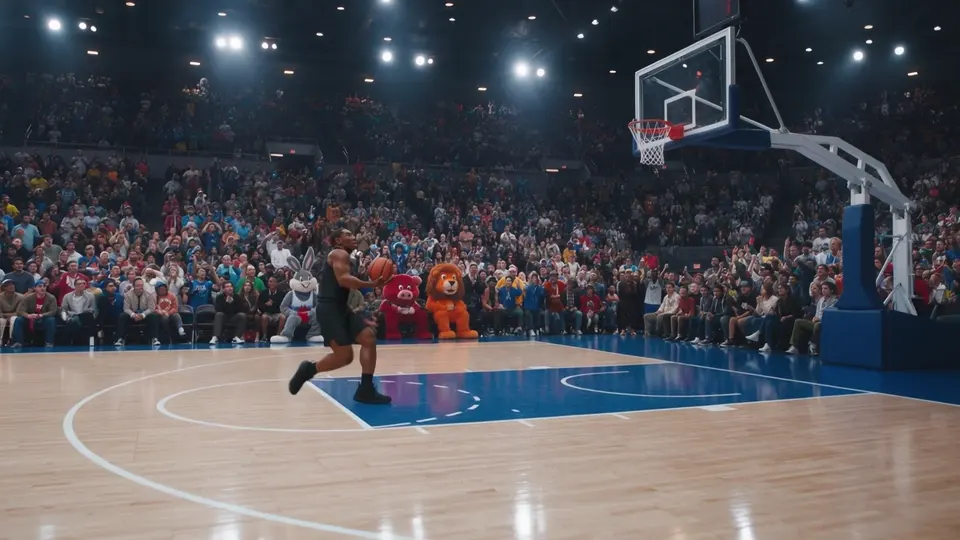
Choose images, motion clips and keyframes that agree on identity and style. State which detail each reference should guide.

At launch, start with a short draft. Check faces, hands, lettering and audio, then change one instruction at a time.
KLING 4.0 4K VIDEO
Kling 4.0 lists 4K output for the standard model, bringing more detail to characters, lighting and textures. Build scenes for cinematic campaigns, product storytelling and a larger screen.
Kling AI also announces 10-bit HDR at 1080p and 4K, coming soon, for richer color and smoother transitions between highlights and shadows. Watch the provider's visual-quality demonstration.

REFERENCE-BASED CREATIVE DIRECTION
Bring the movement you have in mind. Kling 4.0 motion control uses video references to guide character performances, actions, camera movement and narrative pacing.
Use a motion reference to communicate a dance, a sports action or a camera move, then pair it with the character and visual direction for your scene. Give timing, body movement and rhythm a clear role in the brief.
From reference to result.
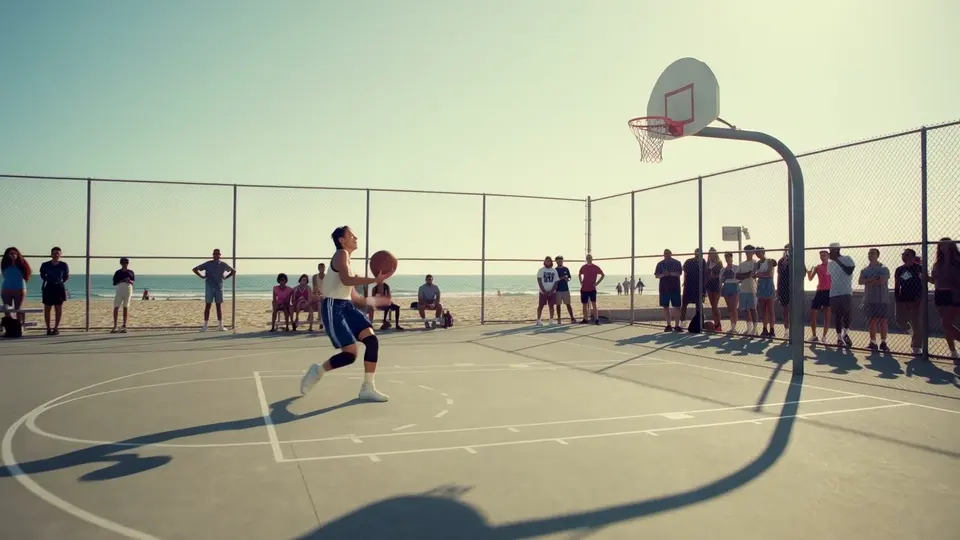
EXPLORE THE LOOK AND FEEL
Expressive performances, cinematic movement and sound that belongs in the picture. Take a closer look at Kling 4.0.
Atmosphere, scale and a story that keeps moving.
Follow the action through an expressive, dynamic scene.
UNIFY PLANS & PRICING
Compare Unify's current subscriptions for the models available today. Kling 4.0 is coming soon; plan eligibility, pricing and generation limits will be announced at launch.
$9.99/mo
or $9.49/mo billed yearly
$24.99/mo
or $22.49/mo billed yearly
$49.99/mo
or $42.49/mo billed yearly
$149.99/mo
or $119.99/mo billed yearly
KLING 4.0 FAQ
Release timing, reference inputs, Flash specifications and what is still coming soon.
Yes. Kling 4.0 supports reference-based motion control through video inputs that guide character performances, actions, camera movement and narrative pacing. Pair a motion reference with a character or scene reference to communicate your intended movement. Kling 4.0 is coming soon on Unify.
Kling 4.0 is Kling AI's announced video model for text-to-video, image-to-video, multi-keyframe direction, Omni references and video editing. The provider lists generation from 3 to 30 seconds, output up to 4K and two-channel stereo audio.
Kling AI's September 28 announcement says the full Kling 4.0 lineup will officially launch in October 2026. Kling 4.0 Flash entered limited early access on September 28. Kling 4.0 generation is not yet available on Unify.
Flash is designed for faster, frequent iteration. Its announced specification is 3–20-second clips at 720p with 8-bit SDR, text-to-video, image-to-video and Omni reference support. The standard 4.0 specification lists 3–30 seconds and 720p, 1080p or 4K.
The release lists up to 15 reference items combined across images, videos, voice references and elements. Individual limits include 10 images, five videos totaling up to 30 seconds, and seven elements including up to three video-based elements. These limits share the combined allowance; they do not add up to 22 separate inputs.
The announcement lists stereo audio and improved lip-sync, with support for languages including Chinese, English, Japanese, Korean, Spanish, Portuguese, German and French, plus multiple accents and dialects. Audio reference input is for voice reference only.
Kling AI announces improved text generation across multiple languages, including lettering, emoji and logos that stay more consistent through motion. Review spelling and fine details before publishing; add final copy in an editor when exact typography is essential.
The provider marks 10-bit HDR at 1080p and 4K as coming soon. Repeated extension to a total of two minutes is also coming soon. A single standard generation is listed as 3–30 seconds; two minutes describes repeated extension, not a single generation.
Kling 4.0 Unlimited is not available on Unify yet. Eligible plans, prices, access windows, supported settings and queue limits have not been announced. The Kling 4.0 Unlimited page will carry those details when the offer is available.
COMING SOON ON UNIFY
Prepare your references and shape the brief. Explore Kling 3.0 today, and discover what the 4.0 generation will bring.
CONTINUE EXPLORING
Model information verified September 29, 2026 against Kling AI's official 4.0 announcement. Provider release timing and capabilities may change; Unify availability is stated separately above.